

Key Takeaways
Maintaining the braking system is essential for safety, and performing an Audi brake pad replacement yourself requires precise preparation and specialized equipment. Always prioritize the correct electronic procedures to ensure the safety systems function as intended after assembly.
- Inspect brake pad thickness every 12,000 miles to prevent rotor damage.
- Use specialized diagnostic software to release the electronic parking brake safely.
- Always replace wear sensors when installing new brake pads to prevent warning lights.
- Ensure all caliper bolts are torqued strictly to manufacturer specifications.
- Bed-in new pads properly to maximize stopping power and pad longevity.
Understanding Audi brake systems
German automotive engineering prioritizes a specific tactile feel and stopping performance that heavily relies on high-quality components. Maintaining the integrity of these systems involves understanding how different parts interact to provide the safe, controlled deceleration owners expect.
OEM versus aftermarket brake pad options
Choosing the right friction material depends on your specific driving habits and performance goals. While factory replacement brake pads offer the best match for consistent pedal feel and minimal noise, some enthusiasts opt for aftermarket alternatives to gain improvements in dust reduction or bite. It is vital to research the friction coefficient of any chosen pad to ensure it matches the vehicle’s original braking characteristics without being too aggressive on the rotors.
The importance of electronic wear sensors
Modern vehicles utilize integrated hardware to monitor the health of the friction material. These small sensors are embedded in the inner pad and create a closed circuit; when the material wears thin, the contact point breaks, alerting the driver via the dashboard. Failing to replace these sensors during a pad swap often results in a persistent warning light, even if the new pads are technically sound.
Identifying signs of excessive brake wear
Recognizing the physical and audible cues of worn components can prevent costly damage to the rotors. You should look for several key indicators to determine if your vehicle needs immediate attention.
| Indicator | Common Sign | Recommended Action |
|---|---|---|
| Audible | High-pitched squealing | Inspect pads immediately |
| Physical | Visible pad thickness under 3mm | Schedule service replacement |
| Performance | Longer braking distances | Check fluid and pad life |
We often observe common symptoms that indicate the arrival of a necessary maintenance cycle. If you notice any of these signs, consider the following list to assess your next steps.
- Test for pedal pulsation while slowing down from highway speeds.
- Check for uneven dust patterns on the alloy wheels.
- Perform a visual inspection of the outer pad with a flashlight.
Ignoring these warning signs can compromise the brake longevity of your system, which eventually puts unnecessary stress on the entire braking assembly.
Essential tools for your Audi
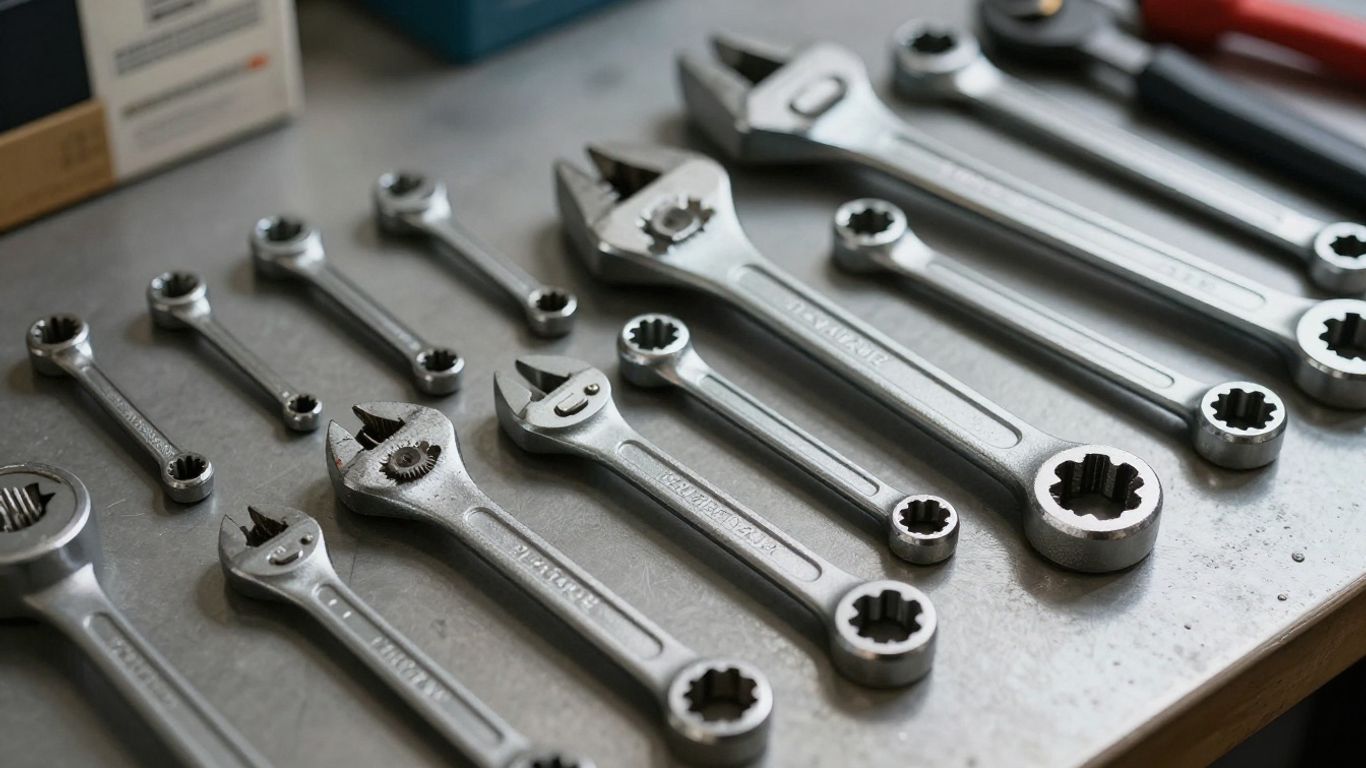
Equipping your workspace with the appropriate tools transforms a difficult task into a manageable technical procedure. Since German manufacturers utilize unique fastener sizes and electronic modules, having the right kit is non-negotiable for anyone attempting their own maintenance.
Vehicle-specific diagnostic scan tools
Electronic integration means that simple mechanical knowledge is rarely sufficient. You will need a compatible scan tool that can interface with the vehicle’s onboard computer to communicate with the parking brake module. This tool allows you to put the rear calipers into a service position, safely retracting the electronic motor without damaging the internal gears.
Specialized caliper piston tools
Standard C-clamps may be insufficient for complex calipers that require both compression and rotation. A dedicated wind-back tool is designed to apply steady pressure while rotating the piston into its housing, preventing any damage to the dust boot or hydraulic seals during the process.
Torque wrenches and hardware requirements
Precision is paramount when reattaching chassis components. Every bolt removed must be tightened to the specific torque values provided in the service manual. Using a calibrated torque wrench prevents the risk of hardware backing out under structural stress or stripping threads in the caliper carrier.
Safety gear and jack point precautions
Lifting a heavy vehicle requires strict adherence to safety standards. Always use high-quality jack stands placed under the factory-designated reinforced lift points. Never rely solely on a hydraulic jack while working beneath the vehicle, and wear eye protection to guard against brake dust, which can often contain metallic particulates.
Preparing the vehicle for service
Once you have your tools assembled, the physical preparation ensures that you can move through the replacement process smoothly. Ensuring the vehicle is parked on a perfectly level surface is the foundation for a successful and safe session in the garage.
Secure lifting and wheel removal procedures
Begin by loosening the lug bolts while the vehicle is still resting on the ground. Once lifted and stabilized on jack stands, fully remove the bolts to extract the wheels. Organizing these components carefully protects your wheels from accidental surface scratches throughout the process.
Managing the electronic parking brake system
Before you disconnect any mechanical hardware, activate your scan tool to engage the parking brake service mode. You will hear the electronic actuators retracting; only proceed once the system confirms that it is ready for maintenance. Following the step-by-step guide for your specific chassis ensures this process occurs without causing electrical faults.
Cleaning and inspecting the brake assembly
After removing the wheel, take a moment to spray the entire area with specialized brake cleaner to remove dust and debris. Inspect the rubber brake lines for signs of cracking or bulging, and confirm the condition of the rotor surface for any deep scoring or ridges that might need attention before installing new pads.
The step-by-step removal process
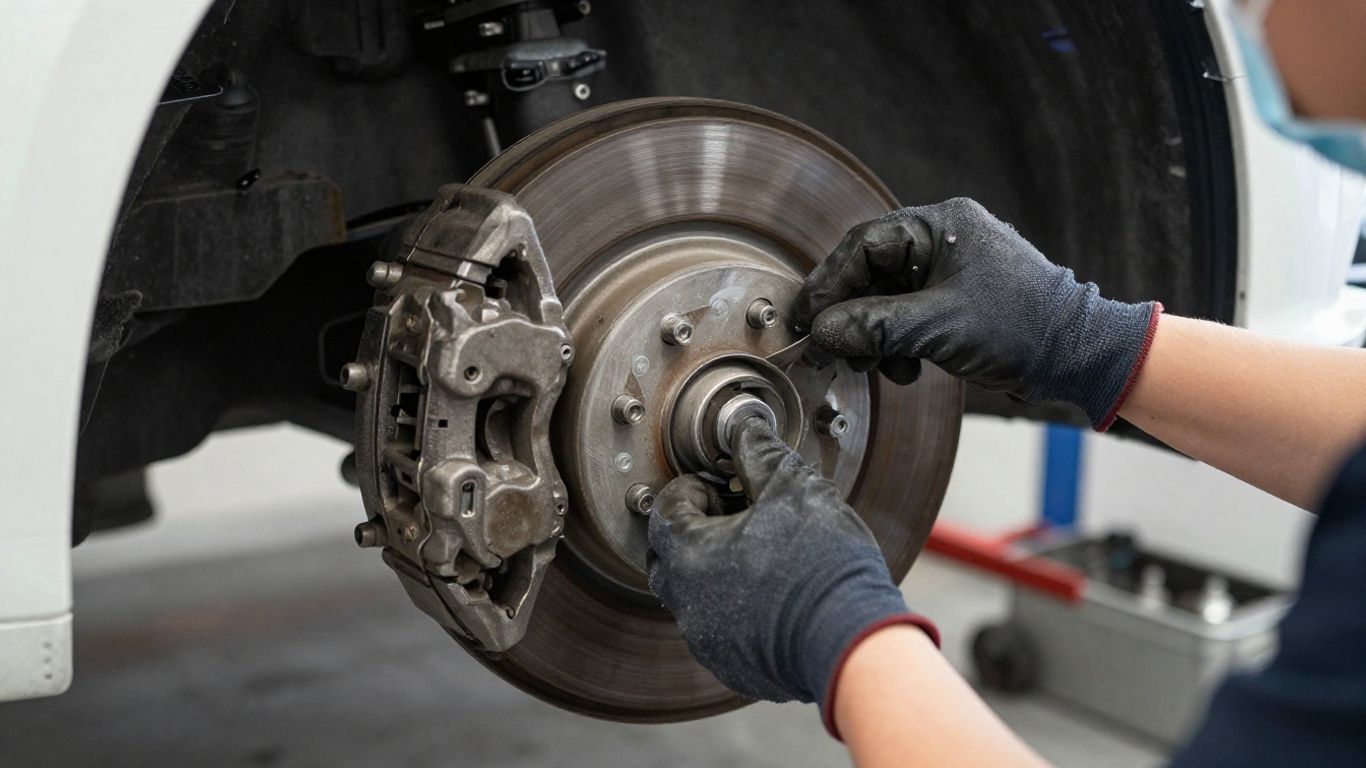
With the area cleaned and the parking brake module in service mode, you can begin the mechanical extraction of the old components. This stage requires patience to ensure all electrical connectors are handled without snapping delicate plastic tabs.
Detaching the electronic wear sensor wire
Carefully release the small plastic connector that links the brake pad sensor to the main harness. Use gentle pressure to slide the plastic tab, as these become brittle from years of heat cycles. Set the connector aside so it does not hang under tension during the removal of the caliper.
Removing the caliper and securing the housing
Loosen the guide pins located on the rear of the caliper bracket. Once the bolts are removed, slide the caliper off the rotor carefully; it is vital to secure the housing to the suspension strut using a bungee cord or wire, ensuring the flexible brake line is never supporting the weight of the caliper.
Extracting old pads and retaining clips
Pop the old pads out of their guide clips and remove the hardware springs that keep them tensioned. Inspect these clips for any corrosion; if they appear rusty or deformed, be sure to clean them thoroughly with a wire brush or replace them with a new set before moving forward.
Installing new brake pads and hardware
Installing the new components is the inverse of the removal process, though it demands increased attention to cleanliness and lubrication. A well-prepared installation ensures the system remains quiet and responsive.
Piston retraction and master cylinder care
Using your wind-back tool, verify that the piston is fully pressed back into a flush position against the housing. Monitor the master cylinder fluid reservoir to ensure that the displaced fluid does not cause an overflow, as the brake fluid is highly corrosive to paint surfaces.
Seating pad clips and applying high-temperature lubricant
Apply a thin, uniform layer of high-temperature copper or ceramic lubricant to the back of the pads and the metal-on-metal contact points. Do not get any lubricant on the friction surface or the rotor itself, as contamination will severely impact your braking performance and could lead to screeching.
Reattaching the caliper and hardware securing
Slide the new pads into the clips and refit the caliper over the rotor. Tighten the carrier bolts to the exact factory torque specification. Finally, reconnect the new electronic wear sensor wire, ensuring it is seated securely within its plastic clips to prevent it from rubbing against the rotating wheel assembly.
Post-installation verification
Properly finishing the job involves both software and physical validation to guarantee the system is ready for the road. Skipping these steps could result in erratic braking behavior or dashboard errors.
Releasing service mode via diagnostic software
Return to your diagnostic tool and trigger the "exit service mode" function for the parking brake. You will hear the motors cycle, calibrating the new distance dictated by the thickness of the fresh pads. Confirm that the computer indicates no fault codes remain in the braking module.
Performing the initial brake pad bedding process
Bedding is necessary because it transfers a thin layer of friction material from the new pads onto the rotor. Find a safe, open road, and perform several moderate stops from 40 mph to 10 mph. Avoid slamming on the brakes; allow the system to cool down between cycles so the heat develops an even transfer layer.
Checking system performance and fluid levels
Before driving in traffic, pump the pedal repeatedly until it feels firm under your foot. Re-verify the fluid level in the master cylinder reservoir under the hood and check that the bleeder screws remain dry and tight. A final visual check of the wheel assembly confirms everything was reinstalled correctly, ensuring you can drive with absolute confidence in your work.
Conclusion
Successfully replacing pads on your vehicle is a rewarding project that deepens your connection to your machine. By following the correct technical procedures, using the proper tools, and taking the time to verify every bolt and electronic connection, you ensure safety and consistent performance. When handled with care, your vehicle will continue to provide the reliable, responsive experience that characterizes the brand.
Frequently Asked Questions
How often should I inspect my brake pads?
It is recommended to inspect your brake pads every 12,000 miles, or at every oil change, to monitor wear and rotor health.
Can I reuse the old electronic wear sensors?
No, once a sensor indicates wear, it is effectively damaged and must be replaced to prevent warning lights from appearing on your dashboard.
Why does the parking brake need to be in service mode?
Service mode retracts the electronic motors that hold the parking brake; attempting to compress the pistons without this step can permanently break the internal actuator gears.
Is it necessary to replace rotors with new pads?
While not always mandatory, rotors should be checked for depth, thinning, and cracking; if they are beyond the service limit, they must be replaced with the pads.
What do I do if I get brake fluid on my paint?
Brake fluid is highly corrosive and will damage paint quickly; immediately flush the area with copious amounts of water to neutralize and remove the fluid.
Do I need to bleed the system after changing pads?
Changing brake pads does not require opening the hydraulic lines, so bleeding is usually not necessary unless you suspect air has entered the lines.
When is it time to take my car to a professional?
If you encounter seized hardware, see evidence of leaking hydraulic fluid, or if you feel unsafe during any part of the mechanical process, seek professional assistance immediately.